Python SDK ve CLI Araçları Geliştirme Deneyimlerim
Mart ayında açık kaynak projelere yaptığım Python SDK geliştirme, CLI tool creation ve deployment optimizasyonu katkıları.
Önceki blog yazımda güvenlik açıkları ve API geliştirmeleri konularını ele almıştım. Şimdi, yoğunlaştığım Python SDK geliştirme, CLI araçları oluşturma ve deployment optimizasyonu konusuna değineceğim.
 Modern Python SDK geliştirme, type safety ve async/await pattern’leri gerektiriyor.
1. Jules SDK: Session Deletion API
Problemi Keşfetmek
Google Labs’in Jules SDK’sında, AI asistan oturumlarını sonlandırma (terminate) işlevi yoktu. Kullanıcılar, tamamlanan oturumları manuel olarak temizlemek zorunda kalıyordu.
Çözüm: Session Management
#184 numaralı PR ile session deletion API’si ekledim:
1
2
3
4
5
6
7
8
9
10
11
12
13
14
# jules_sdk/core/client.py
class JulesClient:
    async def delete_session(self, session_id: str) -> bool:
        """
        Delete a completed session and free up resources.

        Args:
            session_id: The session to delete

        Returns:
            True if deletion was successful
        """
        response = await self._client.delete(f"/sessions/{session_id}")
        return response.status_code == 204
Teknik Detaylar
- Async/Await Pattern: Modern Python async/await kullanımı
- Type Hints: Full type annotation ile type safety
- Error Handling: Graceful error handling ile resilience
- Documentation: Docstring’ler ile API documentation
Öğrenilen Dersler
- API Design: Delete operations için
204 No Contentstatus code kullanımı - Resource Management: Oturumları temizlemek için cleanup mekanizması
- Backward Compatibility: Yeni API’nin mevcut kodu bozmaması
2. NotebookLM-Py: Metadata Export
Problemi Keşfetmek
NotebookLM Python wrapper’ında, notebook metadata’sını export etmek için bir mekanizma yoktu. Kullanıcılar notebook başlığı, yazar, oluşturma tarihi gibi bilgilere erişemiyordu.
Çözüm: Metadata Property
#174 numaralı PR ile metadata export özelliği ekledim:
1
2
3
4
5
6
7
8
9
10
11
12
13
14
15
16
# notebooklm/client.py
class Notebook:
    @property
    def metadata(self) -> NotebookMetadata:
        """
        Export notebook metadata including title, author, and creation date.

        Returns:
            NotebookMetadata object with structured metadata
        """
        return NotebookMetadata(
            title=self._data.get("title"),
            author=self._data.get("author"),
            created_at=self._data.get("created_at"),
            updated_at=self._data.get("updated_at")
        )
Teknik Detaylar
- Property Decorator:
@propertykullanımı ile attribute-like access - Data Class:
NotebookMetadatadata class ile structured data - Lazy Loading: Metadata sadece istendiğinde yükleniyor
- Validation: Type validation ile data integrity
Öğrenilen Dersler
- Python Properties:
@propertydecorator kullanımı - Data Classes: Structured data için
@dataclasskullanımı - API Ergonomics: Kullanıcı dostu API tasarımı
3. CLI-Agent: Health Check Command
Problemi Keşfetmek
CLI-Agent projesinde, birden fazla AI provider (OpenAI, Anthropic, Google, vb.) entegrasyonu vardı, ancak sistem sağlık durumunu kontrol etmek için bir komut yoktu.
Çözüm: Health Check Command
#7 numaralı PR ile /health komutu ekledim:
1
2
3
4
5
6
7
8
9
10
11
12
13
14
15
16
17
18
19
20
21
# cli_agent/commands/health.py
@click.command()
@click.option("--provider", "-p", multiple=True, help="Specific providers to check")
def health(provider: tuple[str, ...]):
    """
    Check health status of AI providers.

    Supports 6 providers: openai, anthropic, google, groq, mistral, together
    """
    providers_to_check = provider or get_all_providers()

    click.echo("🏥 Health Check Results:")
    click.echo("-" * 50)

    for prov in providers_to_check:
        status = check_provider_health(prov)
        icon = "✅" if status.healthy else "❌"
        click.echo(f"{icon} {prov}: {status.message}")

        if status.latency_ms:
            click.echo(f"   ⏱️  Latency: {status.latency_ms}ms")
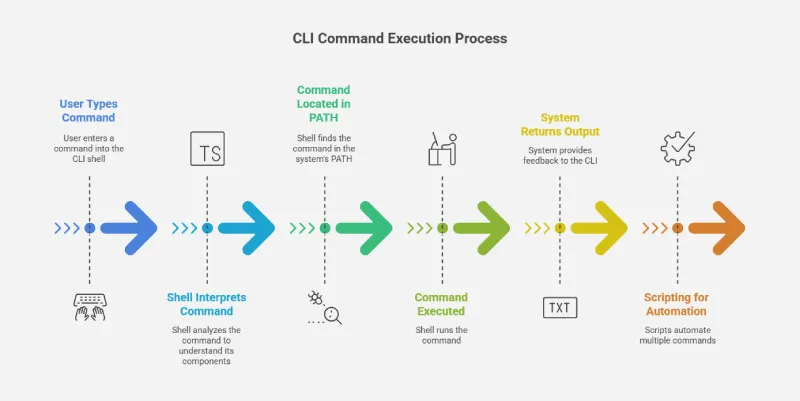 CLI araçları geliştirirken, user experience ve error handling kritik önem taşıyor.
Teknik Detaylar
- Click Framework: Python CLI geliştirme için Click kullanımı
- Multiple Providers: 6 farklı provider için health check
- Latency Measurement: Her provider için response time ölçümü
- Visual Feedback: Emoji ve color coding ile kullanıcı deneyimi
Issue #6: Feature Request
Ayrıca #6 numaralı issue ile bu feature’ı talep etmiştim.
Öğrenilen Dersler
- Click Framework:
@click.command()ve@click.option()kullanımı - Provider Abstraction: Birden fazla provider için unified interface
- Health Check Pattern: Timeout ve retry mekanizmaları
- UX Design: CLI output’u için visual feedback importance
4. Mission Control: Gateway Optional Mode
Problemi Keşfetmek
Builderz Labs’in Mission Control projesinde, VPS deployment’larında gateway zorunlu olarak gerekiyordu. Bu durum, bazı deployment senaryolarında esneklik sağlamıyordu.
Çözüm: Optional Gateway
#271 numaralı PR ile gateway’i optional hale getirdim:
1
2
3
4
5
6
7
8
9
10
11
12
13
14
15
16
17
18
// src/deployment/vps.ts
interface VPSDeploymentOptions {
    gateway?: {
        enabled: boolean;
        host?: string;
        port?: number;
    };
}

async function deployToVPS(options: VPSDeploymentOptions) {
    if (options.gateway?.enabled !== false) {
        // Gateway kullan
        await setupGateway(options.gateway);
    }

    // Doğrudan deployment
    await deployApplication(options);
}
Issue #289: Feature Request
#289 numaralı issue ile bu feature’ı önerdim.
Teknik Detaylar
- Optional Pattern:
gateway?.enabled !== falseile default behavior - TypeScript Interface: Strict typing ile configuration safety
- Backward Compatibility: Mevcut deployment’ları bozmama
- Documentation: README güncellemesi ile usage examples
Öğrenilen Dersler
- Optional Parameters: TypeScript’te optional chaining kullanımı
- Configuration Management: Deployment configuration best practices
- Feature Flags: Gateway enable/disable için feature flag pattern
- VPS Deployment: Cloud deployment stratejileri
Teknik Derinlik: Python SDK Development
Bu projelerde çalışırken, modern Python SDK geliştirme hakkında derinlemesine bilgi edindim.
Type Safety
1
2
3
4
5
6
7
8
9
from typing import Optional, List
from dataclasses import dataclass
from datetime import datetime

@dataclass
class NotebookMetadata:
    title: str
    author: Optional[str] = None
    created_at: Optional[datetime] = None
Async/Await
1
2
3
4
5
6
7
import asyncio
import httpx

async def fetch_data() -> dict:
    async with httpx.AsyncClient() as client:
        response = await client.get("https://api.example.com/data")
        return response.json()
Error Handling
1
2
3
4
5
6
7
8
9
10
11
12
from typing import Union
from httpx import HTTPError

class APIError(Exception):
    pass

async def safe_api_call() -> Union[dict, None]:
    try:
        return await fetch_data()
    except HTTPError as e:
        logger.error(f"API call failed: {e}")
        return None
CLI Development Best Practices
CLI araçları geliştirirken öğrendiklerim:
- User Experience: Clear error messages ve helpful output
- Command Structure: Logical command hierarchy (e.g.,
cli agent health) - Color Coding: ANSI colors veya emoji ile visual feedback
- Progress Indicators: Long-running tasks için progress bars
- Shell Completion: Bash/zsh completion scripts
Deployment Optimizasyonu
Mission Control projesinde öğrendiklerim:
- Gateway Pattern: API gateway’leri ile request routing
- VPS Deployment: Virtual Private Server deployment stratejileri
- Configuration Management: Environment variables ve config files
- Health Checks: Deployment sonrası health check mekanizmaları
Sonuç: Modern Python Development
4 farklı projeye katkıda bulunarak, modern Python development ve CLI araçları geliştirme konusunda önemli bilgiler edindim:
- Type Safety: Type hints ve data classes kullanımı
- Async Programming: Async/await pattern’leri
- API Design: User-friendly API tasarımı
- CLI Frameworks: Click ve Typer gibi CLI framework’leri
- Deployment: VPS deployment ve gateway optimizasyonu
Açık kaynak projelere katkıda bulunmak, sadece kod yazmak değil, aynı zamanda community’ye değer katmak ve yeni teknolojileri öğrenmek için harika bir yol.
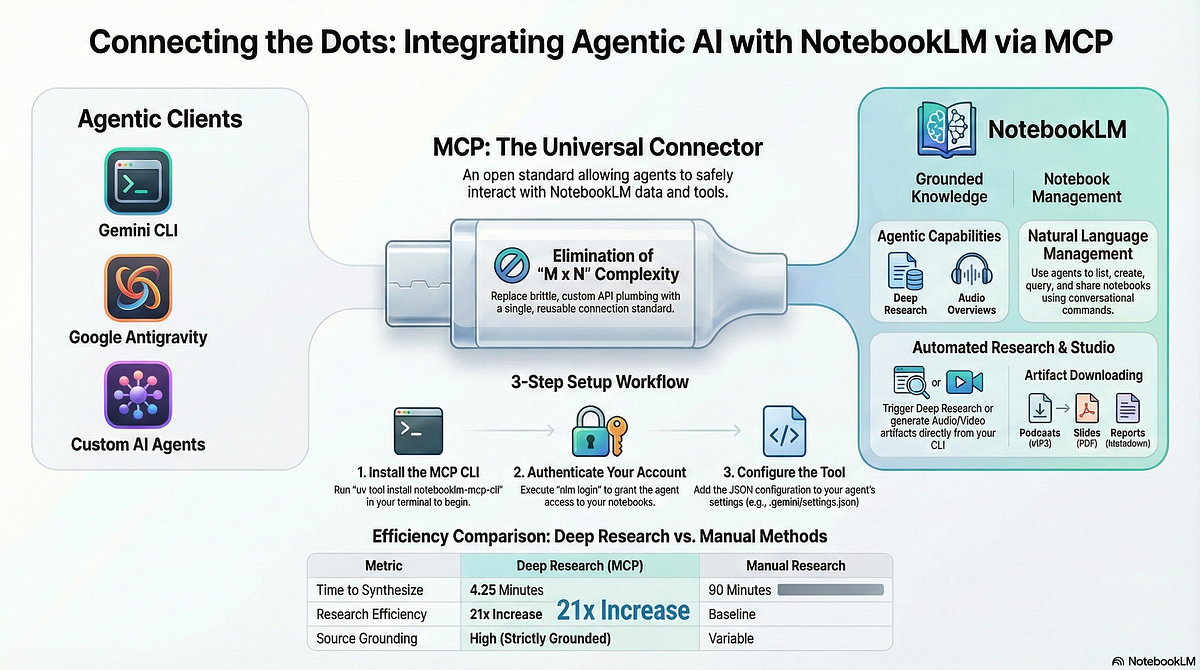 NotebookLM API’si, AI-powered notebook yönetimi için güçlü bir platform.
Eğer siz de Python SDK veya CLI araçları geliştiriyorsanız, type safety, async programming ve user experience konularına odaklanmanızı öneriyorum. Bu, projelerinizin kalitesini ve kullanılabilirliğini önemli ölçüde artıracaktır.
 Furkan Köykıran - Senior Software Engineer