Giriş
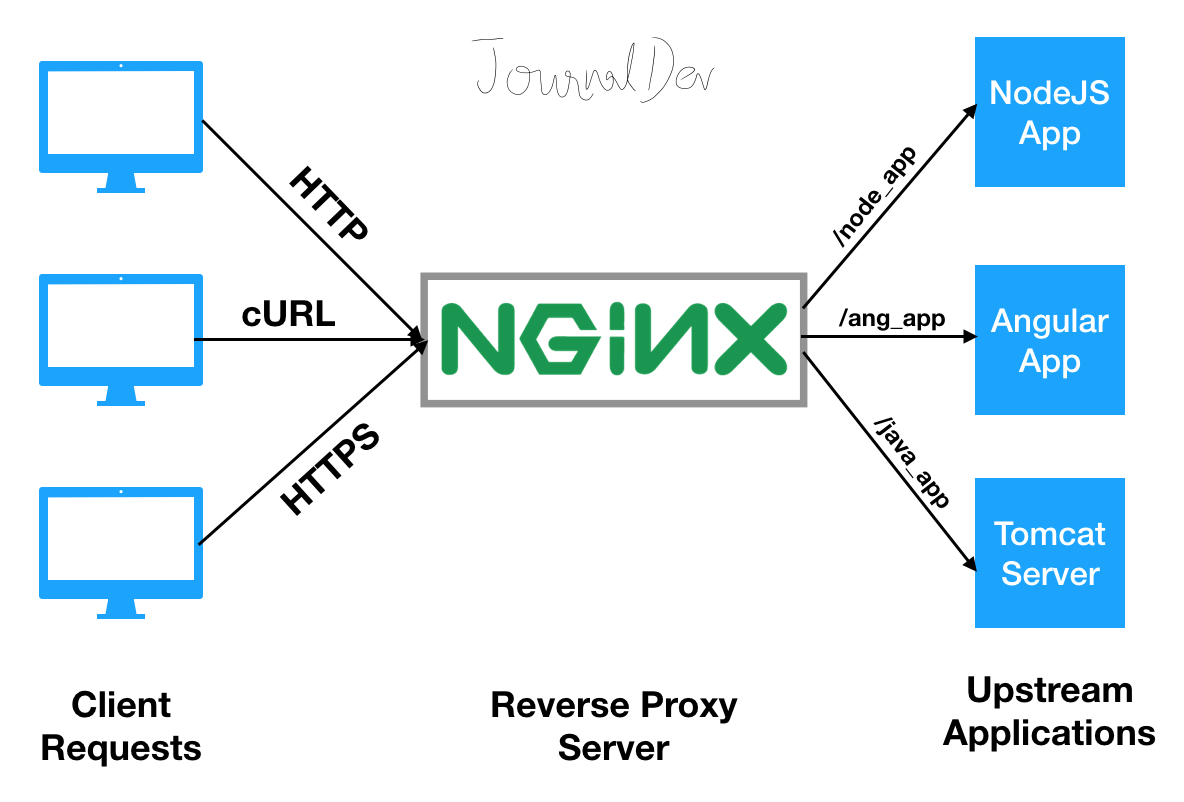
Nginx, yüksek performanslı, hafif ve ölçeklenebilir bir web server ve reverse proxy sunucusudur. Apache’ye göre daha az bellek kullanan ve daha yüksek eşzamanlı bağlantı kapasitesine sahip olan Nginx, modern web altyapılarının vazgeçilmez bir parçası haline gelmiştir.
Bu rehberde, Nginx’i sıfırdan kurarak production-ready bir web server konfigürasyonu oluşturmayı, güvenlik ayarlarını, performans optimizasyonlarını ve best practice’leri kapsamlı bir şekilde öğreneceksiniz.
Nginx Nedir ve Neden Kullanılır?
Nginx’in Özellikleri
Temel Özellikler:
- Event-Driven Architecture: Asenkron, non-blocking I/O modeli
- Düşük Bellek Tüketimi: Yüksek eşzamanlılıkta bile düşük resource kullanımı
- Yüksek Performans: Static content serving’de üstün performans
- Reverse Proxy: Backend servislere yönlendirme
- Load Balancing: Trafiği birden fazla servere dağıtma
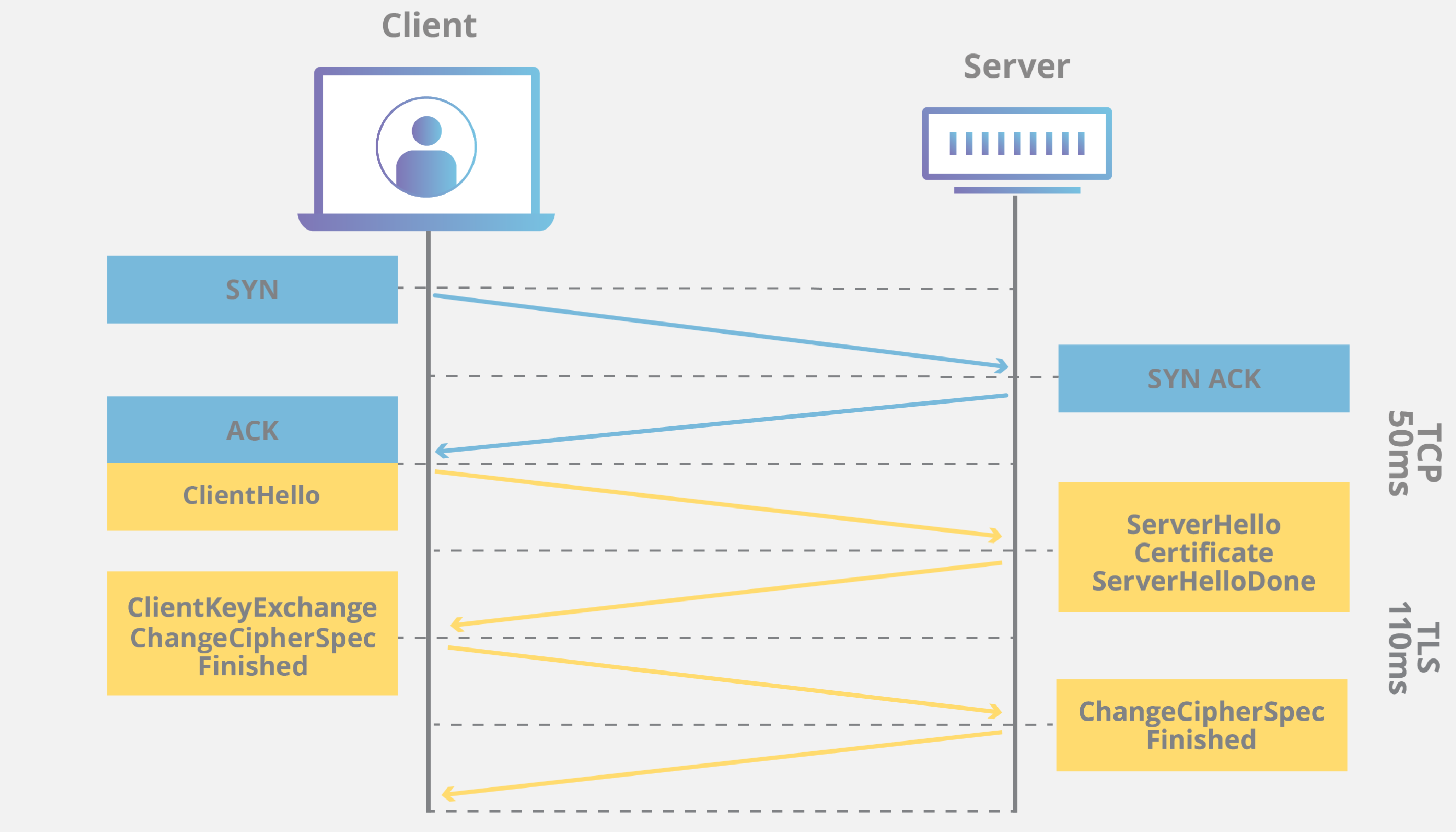
- SSL/TLS Termination: HTTPS desteği
- HTTP/2 ve HTTP/3: Modern protokol desteği
- Caching: İçerik cache’leme
- Rate Limiting: Trafik kontrolü
Nginx vs Apache
1
2
3
4
5
6
7
8
9
| # Apache (Process-Based)
# Her istemci için yeni process/thread
# Bellek kullanımı: Yüksek
# C10K problemi: 10,000 eşzamanlı bağlantıda zorluk
# Nginx (Event-Driven)
# Asenkron event loop
# Bellek kullanımı: Düşük
# C10K çözümü: 10,000+ eşzamanlı bağlantı
|
Nginx Kurulumu
Ubuntu/Debian’da Kurulum
1
2
3
4
5
6
7
8
9
10
11
12
13
14
15
16
17
| # Repository güncelleme
sudo apt update
# Nginx kurulumu
sudo apt install nginx -y
# Firewall ayarları
sudo ufw allow 'Nginx Full' # HTTP + HTTPS
sudo ufw allow 'Nginx HTTP' # Sadece HTTP
sudo ufw allow 'Nginx HTTPS' # Sadece HTTPS
# Nginx servis kontrolü
sudo systemctl status nginx
sudo systemctl start nginx
sudo systemctl enable nginx # Başlangıçta otomatik başlat
sudo systemctl reload nginx # Konfigürasyon yenileme
sudo systemctl restart nginx # Tam yeniden başlatma
|
CentOS/RHEL’de Kurulum
1
2
3
4
5
6
7
8
9
10
11
12
13
14
15
16
17
| # EPEL repository ekle
sudo yum install epel-release -y
# Nginx kurulumu
sudo yum install nginx -y
# SELinux ayarları
sudo setsebool -P httpd_can_network_connect 1
# Firewall ayarları
sudo firewall-cmd --permanent --add-service=http
sudo firewall-cmd --permanent --add-service=https
sudo firewall-cmd --reload
# Nginx başlat
sudo systemctl start nginx
sudo systemctl enable nginx
|
Source’tan Kurulum (Custom Modules)
1
2
3
4
5
6
7
8
9
10
11
12
13
14
15
16
17
18
19
20
21
22
23
24
25
26
27
28
29
30
31
32
33
34
35
36
37
38
39
40
41
42
43
44
45
46
47
48
49
50
51
52
53
54
55
56
57
58
59
60
61
62
| # Bağımlılıklar
sudo apt install build-essential libpcre3 libpcre3-dev zlib1g zlib1g-dev \
libssl-dev libgd-dev libgeoip-dev -y
# Nginx source indir
cd /tmp
wget http://nginx.org/download/nginx-1.24.0.tar.gz
tar -xzf nginx-1.24.0.tar.gz
cd nginx-1.24.0
# Configure (custom modules ile)
./configure \
--prefix=/etc/nginx \
--sbin-path=/usr/sbin/nginx \
--modules-path=/usr/lib64/nginx/modules \
--conf-path=/etc/nginx/nginx.conf \
--error-log-path=/var/log/nginx/error.log \
--http-log-path=/var/log/nginx/access.log \
--pid-path=/var/run/nginx.pid \
--lock-path=/var/run/nginx.lock \
--user=nginx \
--group=nginx \
--with-http_ssl_module \
--with-http_v2_module \
--with-http_realip_module \
--with-http_addition_module \
--with-http_sub_module \
--with-http_gzip_static_module \
--with-http_stub_status_module \
--with-threads \
--with-stream \
--with-stream_ssl_module
# Compile ve install
make
sudo make install
# Nginx user oluştur
sudo useradd -r -M -s /sbin/nologin nginx
# Systemd service dosyası oluştur
sudo tee /etc/systemd/system/nginx.service > /dev/null <<'EOF'
[Unit]
Description=Nginx HTTP Server
After=network.target
[Service]
Type=forking
PIDFile=/var/run/nginx.pid
ExecStartPre=/usr/sbin/nginx -t
ExecStart=/usr/sbin/nginx
ExecReload=/bin/kill -s HUP $MAINPID
ExecStop=/bin/kill -s QUIT $MAINPID
PrivateTmp=true
[Install]
WantedBy=multi-user.target
EOF
sudo systemctl daemon-reload
sudo systemctl start nginx
sudo systemctl enable nginx
|
Nginx Konfigürasyon Yapısı
Ana Konfigürasyon Dosyası
1
2
3
4
5
6
7
8
9
10
11
12
13
14
15
16
17
18
19
20
21
22
23
24
25
26
27
28
29
30
31
32
33
34
35
36
37
38
39
40
41
42
43
44
45
46
47
48
49
50
| # /etc/nginx/nginx.conf
# Ana context - Global ayarlar
user nginx;
worker_processes auto; # CPU core sayısı kadar worker
error_log /var/log/nginx/error.log warn;
pid /var/run/nginx.pid;
# Events context - Connection handling
events {
worker_connections 1024; # Worker başına max connection
use epoll; # Linux için optimal
multi_accept on; # Bir seferde birden fazla connection
}
# HTTP context - HTTP server ayarları
http {
# MIME types
include /etc/nginx/mime.types;
default_type application/octet-stream;
# Logging format
log_format main '$remote_addr - $remote_user [$time_local] "$request" '
'$status $body_bytes_sent "$http_referer" '
'"$http_user_agent" "$http_x_forwarded_for"';
access_log /var/log/nginx/access.log main;
# Performance optimizations
sendfile on;
tcp_nopush on;
tcp_nodelay on;
keepalive_timeout 65;
types_hash_max_size 2048;
server_tokens off; # Hide Nginx version
# Gzip compression
gzip on;
gzip_vary on;
gzip_proxied any;
gzip_comp_level 6;
gzip_types text/plain text/css text/xml text/javascript
application/json application/javascript application/xml+rss
application/rss+xml font/truetype font/opentype
application/vnd.ms-fontobject image/svg+xml;
# Virtual host config dosyaları
include /etc/nginx/conf.d/*.conf;
include /etc/nginx/sites-enabled/*;
}
|
Konfigürasyon Testi ve Reload
1
2
3
4
5
6
7
8
9
10
11
12
13
14
15
16
17
| # Syntax check
sudo nginx -t
# Detaylı syntax check
sudo nginx -T
# Konfigürasyonu reload et (zero downtime)
sudo nginx -s reload
# Nginx'i graceful stop
sudo nginx -s quit
# Hemen durdur
sudo nginx -s stop
# Log dosyalarını yeniden aç (log rotation sonrası)
sudo nginx -s reopen
|
Virtual Host (Server Blocks) Konfigürasyonu
Basit Static Website
1
2
3
4
5
6
7
8
9
10
11
12
13
14
15
16
17
18
19
20
21
22
23
24
25
26
27
28
29
30
31
32
33
34
35
36
| # /etc/nginx/sites-available/example.com
server {
listen 80;
listen [::]:80; # IPv6
server_name example.com www.example.com;
root /var/www/example.com/html;
index index.html index.htm;
# Access ve error logları
access_log /var/log/nginx/example.com.access.log;
error_log /var/log/nginx/example.com.error.log;
location / {
try_files $uri $uri/ =404;
}
# Favicon ve robots.txt için özel handling
location = /favicon.ico {
log_not_found off;
access_log off;
}
location = /robots.txt {
log_not_found off;
access_log off;
}
# Static asset caching
location ~* \.(jpg|jpeg|png|gif|ico|css|js|svg|woff|woff2|ttf|eot)$ {
expires 1y;
add_header Cache-Control "public, immutable";
}
}
|
1
2
3
4
5
6
7
8
9
10
11
12
13
| # Virtual host'u aktifleştir
sudo ln -s /etc/nginx/sites-available/example.com /etc/nginx/sites-enabled/
# Web root oluştur
sudo mkdir -p /var/www/example.com/html
sudo chown -R www-data:www-data /var/www/example.com
sudo chmod -R 755 /var/www/example.com
# Test sayfası
echo "<h1>Welcome to example.com</h1>" | sudo tee /var/www/example.com/html/index.html
# Nginx reload
sudo nginx -t && sudo nginx -s reload
|
Reverse Proxy Konfigürasyonu
1
2
3
4
5
6
7
8
9
10
11
12
13
14
15
16
17
18
19
20
21
22
23
24
25
26
27
28
29
30
31
32
33
34
35
36
37
38
39
40
41
42
43
44
45
46
47
48
49
50
51
52
53
54
55
56
57
58
59
60
61
62
63
64
65
66
67
68
69
70
71
72
73
74
| # /etc/nginx/sites-available/api.example.com
upstream backend_api {
# Load balancing methods:
# - round-robin (default)
# - least_conn
# - ip_hash
# - hash $request_uri consistent
least_conn; # En az bağlantılı servera gönder
server 127.0.0.1:8000 weight=3 max_fails=3 fail_timeout=30s;
server 127.0.0.1:8001 weight=2 max_fails=3 fail_timeout=30s;
server 127.0.0.1:8002 backup; # Sadece diğerleri down olursa
# Health checks (Nginx Plus)
# health_check interval=10s fails=3 passes=2;
keepalive 32; # Backend connection pooling
}
server {
listen 80;
server_name api.example.com;
# Client request limits
client_max_body_size 10M;
client_body_timeout 30s;
client_header_timeout 30s;
location / {
proxy_pass http://backend_api;
# Proxy headers
proxy_set_header Host $host;
proxy_set_header X-Real-IP $remote_addr;
proxy_set_header X-Forwarded-For $proxy_add_x_forwarded_for;
proxy_set_header X-Forwarded-Proto $scheme;
proxy_set_header X-Forwarded-Host $host;
proxy_set_header X-Forwarded-Port $server_port;
# Timeouts
proxy_connect_timeout 60s;
proxy_send_timeout 60s;
proxy_read_timeout 60s;
# Buffering
proxy_buffering on;
proxy_buffer_size 4k;
proxy_buffers 8 4k;
proxy_busy_buffers_size 8k;
# HTTP version
proxy_http_version 1.1;
proxy_set_header Connection "";
}
# WebSocket support
location /ws/ {
proxy_pass http://backend_api;
proxy_http_version 1.1;
proxy_set_header Upgrade $http_upgrade;
proxy_set_header Connection "upgrade";
proxy_set_header Host $host;
proxy_read_timeout 86400; # 24 hours
}
# Health check endpoint
location /health {
access_log off;
return 200 "OK\n";
add_header Content-Type text/plain;
}
}
|
PHP-FPM ile Nginx
1
2
3
4
5
6
7
8
9
10
11
12
13
14
15
16
17
18
19
20
21
22
23
24
25
26
27
28
29
30
31
32
33
34
35
36
37
38
39
40
41
42
43
44
45
46
47
48
49
50
51
52
53
54
55
56
57
58
| # /etc/nginx/sites-available/wordpress.com
upstream php_fpm {
server unix:/var/run/php/php8.2-fpm.sock;
# Veya TCP socket:
# server 127.0.0.1:9000;
}
server {
listen 80;
server_name wordpress.com www.wordpress.com;
root /var/www/wordpress;
index index.php index.html;
# WordPress permalink support
location / {
try_files $uri $uri/ /index.php?$args;
}
# PHP processing
location ~ \.php$ {
try_files $uri =404;
fastcgi_split_path_info ^(.+\.php)(/.+)$;
fastcgi_pass php_fpm;
fastcgi_index index.php;
include fastcgi_params;
fastcgi_param SCRIPT_FILENAME $document_root$fastcgi_script_name;
fastcgi_param PATH_INFO $fastcgi_path_info;
# FastCGI cache
fastcgi_cache_bypass $skip_cache;
fastcgi_no_cache $skip_cache;
fastcgi_cache WORDPRESS;
fastcgi_cache_valid 200 60m;
fastcgi_cache_key "$scheme$request_method$host$request_uri";
}
# Static files caching
location ~* \.(jpg|jpeg|png|gif|ico|css|js|svg|woff|woff2)$ {
expires 1y;
add_header Cache-Control "public, immutable";
access_log off;
}
# Deny access to sensitive files
location ~ /\.ht {
deny all;
}
location ~ /\.git {
deny all;
}
location = /wp-config.php {
deny all;
}
}
|
SSL/TLS ve HTTPS Konfigürasyonu
Let’s Encrypt ile SSL
1
2
3
4
5
6
7
8
9
10
11
12
13
14
15
| # Certbot kurulumu
sudo apt install certbot python3-certbot-nginx -y
# SSL sertifikası al (otomatik Nginx konfigürasyonu)
sudo certbot --nginx -d example.com -d www.example.com
# SSL sertifikası al (manuel konfigürasyon)
sudo certbot certonly --webroot -w /var/www/example.com/html \
-d example.com -d www.example.com
# Otomatik yenileme testi
sudo certbot renew --dry-run
# Otomatik yenileme cron job (zaten kurulu)
sudo systemctl status certbot.timer
|
Modern SSL Konfigürasyonu
1
2
3
4
5
6
7
8
9
10
11
12
13
14
15
16
17
18
19
20
21
22
23
24
25
26
27
| # /etc/nginx/snippets/ssl-params.conf
# SSL protokolleri
ssl_protocols TLSv1.2 TLSv1.3;
ssl_prefer_server_ciphers on;
# Cipher suites (Mozilla Modern configuration)
ssl_ciphers 'ECDHE-ECDSA-AES128-GCM-SHA256:ECDHE-RSA-AES128-GCM-SHA256:ECDHE-ECDSA-AES256-GCM-SHA384:ECDHE-RSA-AES256-GCM-SHA384:ECDHE-ECDSA-CHACHA20-POLY1305:ECDHE-RSA-CHACHA20-POLY1305:DHE-RSA-AES128-GCM-SHA256:DHE-RSA-AES256-GCM-SHA384';
# SSL session cache
ssl_session_cache shared:SSL:10m;
ssl_session_timeout 1h;
ssl_session_tickets off;
# OCSP Stapling
ssl_stapling on;
ssl_stapling_verify on;
resolver 8.8.8.8 8.8.4.4 valid=300s;
resolver_timeout 5s;
# Security headers
add_header Strict-Transport-Security "max-age=31536000; includeSubDomains; preload" always;
add_header X-Frame-Options "SAMEORIGIN" always;
add_header X-Content-Type-Options "nosniff" always;
add_header X-XSS-Protection "1; mode=block" always;
add_header Referrer-Policy "no-referrer-when-downgrade" always;
add_header Content-Security-Policy "default-src 'self'; script-src 'self' 'unsafe-inline' 'unsafe-eval'; style-src 'self' 'unsafe-inline';" always;
|
1
2
3
4
5
6
7
8
9
10
11
12
13
14
15
16
17
18
19
20
21
22
23
24
25
26
27
28
29
30
31
32
| # /etc/nginx/sites-available/example.com
# HTTP -> HTTPS redirect
server {
listen 80;
listen [::]:80;
server_name example.com www.example.com;
return 301 https://$server_name$request_uri;
}
# HTTPS server
server {
listen 443 ssl http2;
listen [::]:443 ssl http2;
server_name example.com www.example.com;
# SSL certificates
ssl_certificate /etc/letsencrypt/live/example.com/fullchain.pem;
ssl_certificate_key /etc/letsencrypt/live/example.com/privkey.pem;
ssl_trusted_certificate /etc/letsencrypt/live/example.com/chain.pem;
# SSL parameters
include /etc/nginx/snippets/ssl-params.conf;
root /var/www/example.com/html;
index index.html;
location / {
try_files $uri $uri/ =404;
}
}
|
Self-Signed SSL Certificate (Development)
1
2
3
4
5
6
7
8
9
| # Self-signed certificate oluştur
sudo mkdir -p /etc/nginx/ssl
sudo openssl req -x509 -nodes -days 365 -newkey rsa:2048 \
-keyout /etc/nginx/ssl/nginx-selfsigned.key \
-out /etc/nginx/ssl/nginx-selfsigned.crt \
-subj "/C=TR/ST=Istanbul/L=Istanbul/O=MyCompany/CN=localhost"
# Diffie-Hellman parametreleri
sudo openssl dhparam -out /etc/nginx/ssl/dhparam.pem 2048
|
1
2
3
4
5
6
7
8
9
10
11
12
13
14
| # Self-signed SSL configuration
server {
listen 443 ssl http2;
server_name localhost;
ssl_certificate /etc/nginx/ssl/nginx-selfsigned.crt;
ssl_certificate_key /etc/nginx/ssl/nginx-selfsigned.key;
ssl_dhparam /etc/nginx/ssl/dhparam.pem;
include /etc/nginx/snippets/ssl-params.conf;
root /var/www/html;
index index.html;
}
|
Load Balancing Stratejileri
Round Robin (Default)
1
2
3
4
5
| upstream backend {
server backend1.example.com;
server backend2.example.com;
server backend3.example.com;
}
|
Least Connections
1
2
3
4
5
6
| upstream backend {
least_conn;
server backend1.example.com;
server backend2.example.com;
server backend3.example.com;
}
|
IP Hash (Session Persistence)
1
2
3
4
5
6
| upstream backend {
ip_hash;
server backend1.example.com;
server backend2.example.com;
server backend3.example.com;
}
|
Generic Hash
1
2
3
4
5
6
| upstream backend {
hash $request_uri consistent; # URL-based routing
server backend1.example.com;
server backend2.example.com;
server backend3.example.com;
}
|
Weighted Load Balancing
1
2
3
4
5
| upstream backend {
server backend1.example.com weight=5; # %50
server backend2.example.com weight=3; # %30
server backend3.example.com weight=2; # %20
}
|
Advanced Load Balancing
1
2
3
4
5
6
7
8
9
10
11
12
13
14
15
16
17
18
19
20
21
22
23
24
25
26
27
28
| upstream backend {
least_conn;
# Server tanımları
server backend1.example.com:8080 weight=3 max_fails=3 fail_timeout=30s;
server backend2.example.com:8080 weight=2 max_fails=3 fail_timeout=30s;
server backend3.example.com:8080 backup; # Backup server
server backend4.example.com:8080 down; # Maintenance mode
# Connection pooling
keepalive 32;
keepalive_requests 100;
keepalive_timeout 60s;
}
server {
listen 80;
server_name app.example.com;
location / {
proxy_pass http://backend;
proxy_next_upstream error timeout invalid_header http_500 http_502 http_503;
proxy_next_upstream_tries 3;
proxy_next_upstream_timeout 30s;
include /etc/nginx/snippets/proxy-params.conf;
}
}
|
Caching Stratejileri
FastCGI Cache (PHP)
1
2
3
4
5
6
7
8
9
10
11
| # /etc/nginx/nginx.conf (http context)
fastcgi_cache_path /var/cache/nginx/fastcgi
levels=1:2
keys_zone=WORDPRESS:100m
inactive=60m
max_size=1g;
fastcgi_cache_key "$scheme$request_method$host$request_uri";
fastcgi_cache_use_stale error timeout invalid_header http_500;
fastcgi_ignore_headers Cache-Control Expires Set-Cookie;
|
1
2
3
4
5
6
7
8
9
10
11
12
13
14
15
16
17
18
19
20
21
22
23
24
25
26
27
28
29
30
31
32
33
34
35
36
37
| # /etc/nginx/sites-available/wordpress.com
set $skip_cache 0;
# POST requests ve query string olan istekleri cache'leme
if ($request_method = POST) {
set $skip_cache 1;
}
if ($query_string != "") {
set $skip_cache 1;
}
# WordPress admin ve login sayfalarını cache'leme
if ($request_uri ~* "/wp-admin/|/xmlrpc.php|wp-.*.php|/feed/|index.php|sitemap(_index)?.xml") {
set $skip_cache 1;
}
# Logged in users için cache'leme
if ($http_cookie ~* "comment_author|wordpress_[a-f0-9]+|wp-postpass|wordpress_no_cache|wordpress_logged_in") {
set $skip_cache 1;
}
location ~ \.php$ {
include fastcgi_params;
fastcgi_pass php_fpm;
# FastCGI cache
fastcgi_cache WORDPRESS;
fastcgi_cache_valid 200 60m;
fastcgi_cache_valid 404 10m;
fastcgi_cache_bypass $skip_cache;
fastcgi_no_cache $skip_cache;
# Cache headers
add_header X-Cache-Status $upstream_cache_status;
}
|
Proxy Cache (Reverse Proxy)
1
2
3
4
5
6
7
8
9
10
11
12
13
14
| # /etc/nginx/nginx.conf (http context)
proxy_cache_path /var/cache/nginx/proxy
levels=1:2
keys_zone=PROXYCACHE:100m
inactive=60m
max_size=1g;
proxy_cache_key "$scheme$request_method$host$request_uri$is_args$args";
proxy_cache_valid 200 302 60m;
proxy_cache_valid 404 10m;
proxy_cache_use_stale error timeout updating http_500 http_502 http_503 http_504;
proxy_cache_background_update on;
proxy_cache_lock on;
|
1
2
3
4
5
6
7
8
9
10
11
12
13
14
15
16
17
18
19
20
21
22
23
24
25
26
27
28
29
30
31
32
| # /etc/nginx/sites-available/api.example.com
server {
listen 80;
server_name api.example.com;
location /api/ {
proxy_pass http://backend;
# Proxy cache
proxy_cache PROXYCACHE;
proxy_cache_valid 200 10m;
proxy_cache_bypass $http_pragma $http_authorization;
proxy_no_cache $http_pragma $http_authorization;
# Cache headers
add_header X-Cache-Status $upstream_cache_status;
add_header X-Proxy-Cache $upstream_cache_status;
# Vary header
proxy_cache_vary on;
include /etc/nginx/snippets/proxy-params.conf;
}
# Cache purge endpoint (production'da authorization gerekli!)
location ~ /purge(/.*) {
allow 127.0.0.1;
deny all;
proxy_cache_purge PROXYCACHE "$scheme$request_method$host$1$is_args$args";
}
}
|
Microcaching
1
2
3
4
5
6
7
8
9
10
11
12
13
14
15
16
17
18
19
| # Very short-term caching (1 second)
# Traffic spike'larında çok etkili
proxy_cache_path /var/cache/nginx/micro
levels=1:2
keys_zone=MICROCACHE:10m
inactive=1m
max_size=100m;
server {
location / {
proxy_pass http://backend;
proxy_cache MICROCACHE;
proxy_cache_valid 200 1s;
proxy_cache_use_stale updating;
proxy_cache_background_update on;
proxy_cache_lock on;
}
}
|
Güvenlik Konfigürasyonu
Rate Limiting
1
2
3
4
5
6
7
8
9
10
11
| # /etc/nginx/nginx.conf (http context)
# Request rate limit (IP başına)
limit_req_zone $binary_remote_addr zone=req_limit:10m rate=10r/s;
# Connection limit (IP başına)
limit_conn_zone $binary_remote_addr zone=conn_limit:10m;
# Bandwidth limit
limit_rate_after 10m; # İlk 10MB hızlı
limit_rate 1m; # Sonra 1MB/s
|
1
2
3
4
5
6
7
8
9
10
11
12
13
14
15
16
17
18
19
20
21
22
| # /etc/nginx/sites-available/example.com
server {
listen 80;
server_name example.com;
# Rate limiting
limit_req zone=req_limit burst=20 nodelay;
limit_conn conn_limit 10;
location /api/ {
# Daha strict limit
limit_req zone=req_limit burst=5 nodelay;
proxy_pass http://backend;
}
location /login {
# Login endpoint için daha katı
limit_req zone=req_limit burst=2 nodelay;
proxy_pass http://backend;
}
}
|
Access Control
1
2
3
4
5
6
7
8
9
10
11
12
13
14
15
16
| # IP-based access control
location /admin {
allow 192.168.1.0/24;
allow 10.0.0.0/8;
deny all;
proxy_pass http://backend;
}
# HTTP Basic Authentication
location /private {
auth_basic "Restricted Area";
auth_basic_user_file /etc/nginx/.htpasswd;
proxy_pass http://backend;
}
|
1
2
3
4
| # .htpasswd dosyası oluştur
sudo apt install apache2-utils -y
sudo htpasswd -c /etc/nginx/.htpasswd username
sudo chmod 640 /etc/nginx/.htpasswd
|
1
2
3
4
5
6
7
8
9
10
11
12
13
14
15
16
17
18
19
20
21
22
23
24
25
26
| # /etc/nginx/snippets/security-headers.conf
# HSTS
add_header Strict-Transport-Security "max-age=31536000; includeSubDomains; preload" always;
# Clickjacking protection
add_header X-Frame-Options "SAMEORIGIN" always;
# MIME type sniffing protection
add_header X-Content-Type-Options "nosniff" always;
# XSS protection
add_header X-XSS-Protection "1; mode=block" always;
# Referrer policy
add_header Referrer-Policy "strict-origin-when-cross-origin" always;
# Permissions policy
add_header Permissions-Policy "geolocation=(), microphone=(), camera=()" always;
# Content Security Policy
add_header Content-Security-Policy "default-src 'self'; script-src 'self' 'unsafe-inline' 'unsafe-eval' https://cdn.example.com; style-src 'self' 'unsafe-inline' https://fonts.googleapis.com; font-src 'self' https://fonts.gstatic.com; img-src 'self' data: https:; connect-src 'self' https://api.example.com; frame-ancestors 'self';" always;
# Remove server version
server_tokens off;
more_clear_headers Server; # Requires headers-more module
|
DDoS Protection
1
2
3
4
5
6
7
8
9
10
11
12
13
14
15
16
17
18
19
20
21
22
23
| # /etc/nginx/nginx.conf
http {
# Connection limits
limit_conn_zone $binary_remote_addr zone=addr:10m;
limit_conn addr 10;
# Request rate limits
limit_req_zone $binary_remote_addr zone=one:10m rate=1r/s;
limit_req zone=one burst=5;
# Slow request protection
client_body_timeout 10s;
client_header_timeout 10s;
keepalive_timeout 5s 5s;
send_timeout 10s;
# Request size limits
client_max_body_size 1m;
client_body_buffer_size 128k;
client_header_buffer_size 1k;
large_client_header_buffers 4 4k;
}
|
Worker Process Optimization
1
2
3
4
5
6
7
8
9
10
11
12
13
14
15
16
17
18
19
20
21
| # /etc/nginx/nginx.conf
# CPU core sayısı kadar worker
worker_processes auto;
# Worker priority (nice value: -20 to 19, düşük = yüksek priority)
worker_priority -5;
# Worker process file descriptor limit
worker_rlimit_nofile 65535;
events {
# Worker başına max connection
worker_connections 4096;
# Optimal event method (Linux için epoll)
use epoll;
# Birden fazla connection'ı aynı anda kabul et
multi_accept on;
}
|
Buffering ve Timeouts
1
2
3
4
5
6
7
8
9
10
11
12
13
14
15
16
17
18
19
20
21
22
23
24
25
26
| http {
# Client settings
client_body_buffer_size 128k;
client_max_body_size 10m;
client_header_buffer_size 1k;
large_client_header_buffers 4 4k;
# Timeouts
client_body_timeout 12s;
client_header_timeout 12s;
keepalive_timeout 15s;
send_timeout 10s;
# Proxy buffering
proxy_buffering on;
proxy_buffer_size 4k;
proxy_buffers 8 4k;
proxy_busy_buffers_size 8k;
proxy_temp_file_write_size 8k;
# FastCGI buffering
fastcgi_buffering on;
fastcgi_buffer_size 4k;
fastcgi_buffers 8 4k;
fastcgi_busy_buffers_size 8k;
}
|
Static Content Optimization
1
2
3
4
5
6
7
8
9
10
11
12
13
14
15
16
17
18
19
20
21
22
23
24
25
26
27
28
29
30
31
32
33
34
35
36
37
38
39
40
41
| server {
# Gzip compression
gzip on;
gzip_vary on;
gzip_min_length 1024;
gzip_comp_level 6;
gzip_types text/plain text/css text/xml text/javascript
application/json application/javascript application/xml+rss;
gzip_disable "msie6";
# Brotli compression (requires ngx_brotli module)
# brotli on;
# brotli_comp_level 6;
# brotli_types text/plain text/css text/xml application/json;
# Open file cache
open_file_cache max=10000 inactive=30s;
open_file_cache_valid 60s;
open_file_cache_min_uses 2;
open_file_cache_errors on;
# Static files
location ~* \.(jpg|jpeg|png|gif|ico|svg|webp)$ {
expires 1y;
add_header Cache-Control "public, immutable";
access_log off;
}
location ~* \.(css|js)$ {
expires 1y;
add_header Cache-Control "public, immutable";
access_log off;
}
location ~* \.(woff|woff2|ttf|eot)$ {
expires 1y;
add_header Cache-Control "public, immutable";
add_header Access-Control-Allow-Origin "*";
access_log off;
}
}
|
Monitoring ve Logging
Status Module
1
2
3
4
5
6
7
8
9
10
11
12
13
| # /etc/nginx/sites-available/status
server {
listen 127.0.0.1:8080;
server_name localhost;
location /nginx_status {
stub_status on;
access_log off;
allow 127.0.0.1;
deny all;
}
}
|
1
2
3
4
5
6
7
8
| # Status kontrolü
curl http://localhost:8080/nginx_status
# Çıktı:
# Active connections: 291
# server accepts handled requests
# 16630948 16630948 31070465
# Reading: 6 Writing: 179 Waiting: 106
|
1
2
3
4
5
6
7
8
9
10
11
12
13
14
15
16
17
18
19
20
21
22
23
24
25
| http {
# JSON log format
log_format json_combined escape=json
'{'
'"time_local":"$time_local",'
'"remote_addr":"$remote_addr",'
'"remote_user":"$remote_user",'
'"request":"$request",'
'"status": "$status",'
'"body_bytes_sent":"$body_bytes_sent",'
'"request_time":"$request_time",'
'"http_referrer":"$http_referer",'
'"http_user_agent":"$http_user_agent"'
'}';
# Performance log
log_format performance '$remote_addr - $remote_user [$time_local] '
'"$request" $status $body_bytes_sent '
'"$http_referer" "$http_user_agent" '
'rt=$request_time uct="$upstream_connect_time" '
'uht="$upstream_header_time" urt="$upstream_response_time"';
access_log /var/log/nginx/access.log json_combined;
access_log /var/log/nginx/performance.log performance;
}
|
Log Rotation
1
2
3
4
5
6
7
8
9
10
11
12
13
14
15
16
17
18
19
20
| # /etc/logrotate.d/nginx
/var/log/nginx/*.log {
daily
missingok
rotate 14
compress
delaycompress
notifempty
create 0640 www-data adm
sharedscripts
prerotate
if [ -d /etc/logrotate.d/httpd-prerotate ]; then \
run-parts /etc/logrotate.d/httpd-prerotate; \
fi \
endscript
postrotate
invoke-rc.d nginx rotate >/dev/null 2>&1
endscript
}
|
Debugging ve Troubleshooting
Error Log Analysis
1
2
3
4
5
| # Error log levels: debug, info, notice, warn, error, crit, alert, emerg
error_log /var/log/nginx/error.log warn;
# Debug log (sadece development'ta!)
error_log /var/log/nginx/debug.log debug;
|
1
2
3
4
5
6
7
8
| # Real-time error log monitoring
tail -f /var/log/nginx/error.log
# Error log istatistikleri
awk '{print $9}' /var/log/nginx/error.log | sort | uniq -c | sort -rn
# Yavaş istekler (>1 saniye)
awk '$NF > 1 {print $7, $NF}' /var/log/nginx/access.log
|
Common Issues
1
2
3
4
5
6
7
8
9
10
11
12
13
14
15
16
17
18
19
20
21
22
23
24
25
| # 1. Permission denied
# Çözüm: SELinux veya dosya izinleri
sudo chown -R nginx:nginx /var/www
sudo chmod -R 755 /var/www
# SELinux context
sudo chcon -Rv --type=httpd_sys_content_t /var/www
# 2. Too many open files
# Çözüm: ulimit artır
sudo vim /etc/security/limits.conf
# nginx soft nofile 65535
# nginx hard nofile 65535
# 3. Connection refused to upstream
# Çözüm: Backend servis kontrolü
sudo systemctl status backend-service
sudo netstat -tulpn | grep 8000
# 4. SSL certificate issues
sudo nginx -t
sudo certbot certificates
# 5. Configuration syntax error
sudo nginx -T | less
|
Production Best Practices
Checklist
1
2
3
4
5
6
7
8
9
10
11
12
13
14
15
16
17
18
19
20
21
22
23
24
25
26
27
28
29
30
31
32
33
34
35
36
37
38
| # Production Nginx Checklist:
Security:
- [ ] HTTPS enabled with valid SSL certificate
- [ ] Security headers configured
- [ ] Rate limiting enabled
- [ ] server_tokens off
- [ ] Access control configured
- [ ] DDoS protection enabled
Performance:
- [ ] Gzip/Brotli compression enabled
- [ ] Static file caching configured
- [ ] FastCGI/Proxy caching enabled
- [ ] Worker processes optimized
- [ ] Buffer sizes tuned
- [ ] Connection pooling enabled
Monitoring:
- [ ] Access logs configured
- [ ] Error logs configured
- [ ] Status module enabled
- [ ] Log rotation configured
- [ ] Monitoring/alerting setup
High Availability:
- [ ] Load balancing configured
- [ ] Health checks enabled
- [ ] Failover configured
- [ ] Backup servers defined
- [ ] Session persistence configured
Maintenance:
- [ ] Automated backup
- [ ] Configuration versioning (Git)
- [ ] Update strategy defined
- [ ] Rollback plan documented
- [ ] Regular security audits
|
Sonuç
Nginx, modern web altyapılarının vazgeçilmez bir bileşenidir. Bu rehberde öğrendiğiniz konfigürasyonları uygulayarak yüksek performanslı, güvenli ve ölçeklenebilir bir web server altyapısı oluşturabilirsiniz.
Kaynaklar
Production ortamında Nginx kullanırken sürekli izleme, güvenlik güncellemeleri ve performans optimizasyonlarını ihmal etmeyin! 🚀